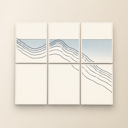
XLPrinter
Print Posters & Blueprints, Tiled
XLPrinter splits oversized images and PDFs into perfectly aligned tiles you can print on Letter, A4, A3, Legal, Tabloid, or any custom paper size. Margin compensation is on by default, output size can be specified in pages or real inches/millimetres, and PDF input renders as vector at print resolution. Native Mac app — no account, no subscription, no telemetry, files never leave your Mac.
Key Features
- Margin compensation on by default — non-printable strips shown in live preview, layout adjusts so nothing is lost when you trim and assemble
- Output size in pages, inches, millimetres, or fit modes (fit-to-width, fit-to-height, 100%)
- First-class PDF input — multi-page PDFs render as vector at print resolution for crisp blueprints and infographics at any scale
- Correct row-major page order for direct printing and Print-to-PDF; optional registration marks and overlap; export tiled layout as multi-page PDF
About XLPrinter
XLPrinter is the polished Mac way to print posters, blueprints, and large images across multiple sheets. It splits oversized images and PDFs into perfectly aligned tiles you can print on Letter, A4, A3, Legal, Tabloid, or any custom paper size — with margins handled, page order correct, and physical output size specified in real inches or millimetres rather than abstract sheet counts.
What sets XLPrinter apart is what it gets right that Preview and Acrobat get wrong. It compensates for your printer’s non-printable margins by default, so trimming the white border never crops your content. It prints in row-major order — top-left to bottom-right — both when sending directly to a printer and when exporting via Print-to-PDF, so the stack you pull out of the printer is the stack you assemble. It treats PDF input as a first-class citizen, rendering multi-page PDFs as vector at print resolution so blueprints and infographics stay crisp at any scale.
Built natively for macOS top to bottom — toolbar, inspector pane, keyboard shortcuts, dark mode, drag-and-drop, SF Symbols. App Sandbox protected, signed, and notarised. Localised in 11 languages. No account, no sign-in, no subscription, no in-app purchase, no telemetry. One purchase, yours forever, and your files never leave your Mac.
Who is XLPrinter for?
- Designers and makers printing posters, movie and band art, motivational prints, and party banners
- Architects and engineers printing floor plans, blueprints, and technical drawings at real-world scale
- Teachers printing classroom materials — alphabet charts, periodic tables, anatomy posters, world maps
- Photographers enlarging family portraits, landscapes, or hand-drawn artwork for exhibition
- Anyone who has received a PDF poster or plan from a designer or print shop and needs to output it on the printer they already own
Why choose XLPrinter?
XLPrinter is the only Mac tile-printing tool that defaults to doing the right thing on every dimension that matters. Margin compensation is on by default, with the non-printable strips shown as dimmed regions in the live preview so you can see exactly what will print and exactly where you can trim. Output size is specified the way you actually think about it — pick a number of pages, a physical size in inches or millimetres, or a fit mode (fit-to-width, fit-to-height, or 100%) — instead of being forced to do mental arithmetic in sheet counts.
PDF input is treated as a first-class citizen. Drop in a multi-page PDF, choose the page to tile, and XLPrinter renders it as vector at print resolution. Blueprints from architects, infographics from designers, scientific posters from researchers — they all stay crisp at any scale. The live preview shows the tiled layout with optional registration marks and overlap for clean assembly, and you can export the entire layout as a multi-page PDF for any print shop.
It is fully native macOS — not a web wrapper, not an Electron shell — and it costs you a single one-time purchase with no subscription, no IAP, and no telemetry. Your files are processed entirely on-device and never leave your Mac. Print posters that fit. Print blueprints that line up. Print large, on the printer you already own.